Hold fn. Speak.
Get polished text.
Dictify is a native macOS app that turns speech into clean, punctuated text and types it straight into whatever app you're focused on. Groq Whisper transcribes; GPT-OSS strips the ums, resolves your backtracks, and punctuates - on the fly.
MIT licensed · macOS 14+ · or install with Homebrew
From breath to finished sentence, in one hold
No windows to focus, no modes to switch. A minimal floating indicator at the bottom of the screen shows recording state and elapsed time - the rest happens on its own.
Hold & speak
Hold fn - or any shortcut, or the middle mouse button - and talk. The audio engine is prewarmed, so recording starts the instant you press.
Whisper transcribes
Audio goes to Groq Whisper, primed with your personal dictionary so your names and terms come back right.
GPT-OSS polishes
Fillers gone, self-corrections resolved, punctuation added - in a tone matched to the app you're in. Pick Quality (120b) or Fast (20b).
Lands at your caret
Typed directly into the focused field via macOS Accessibility APIs - with a paste fallback for read-only fields.
What you said
What gets typed
Everything a writing tool should do when you'd rather talk
Dictify stays out of the way - a menu bar icon, a hotkey, a floating pill. Underneath, there's a full toolbox.
One home for everything
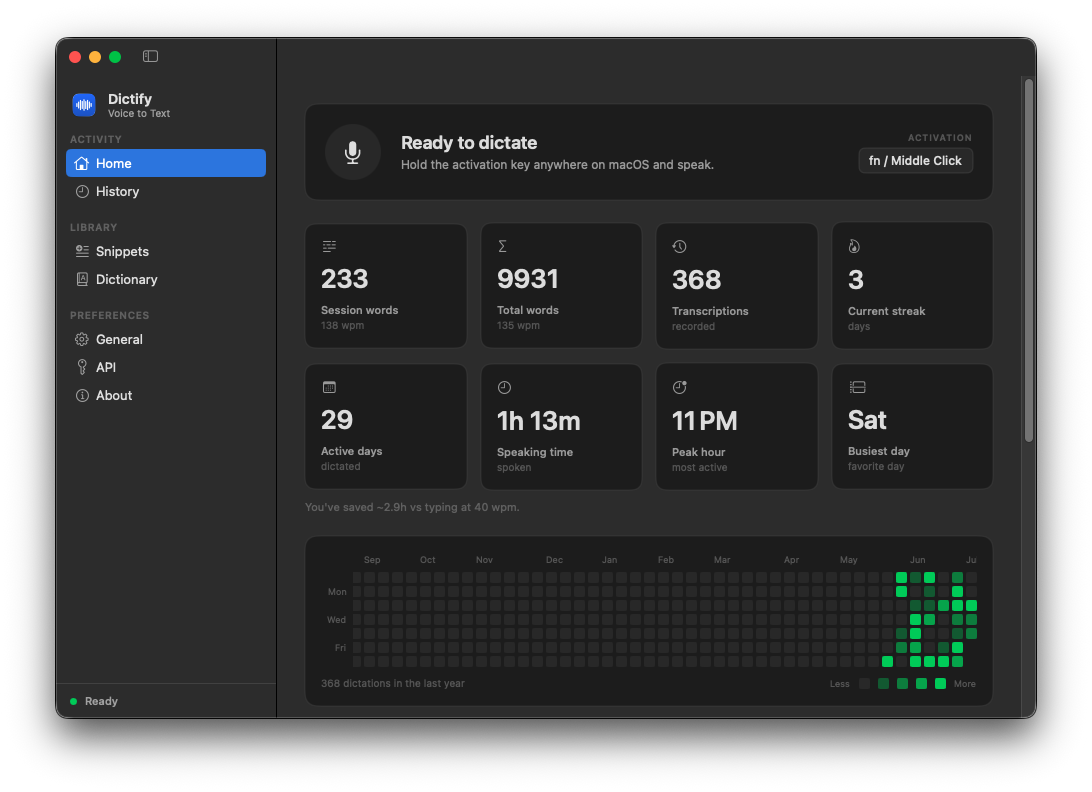
Home, history, dictionary, snippets, and settings live in a single window with a sidebar. The Home tab is a small dashboard of your dictation life.
- Live stats - session and total words with words-per-minute, current streak, active days, speaking time, peak hour, busiest day.
- Time saved - an estimate of what you'd have spent typing, plus a GitHub-style contribution graph of daily activity.
- Close it whenever. The global hotkey keeps working in the background; a menu bar icon is always there for a quick reopen or quit.
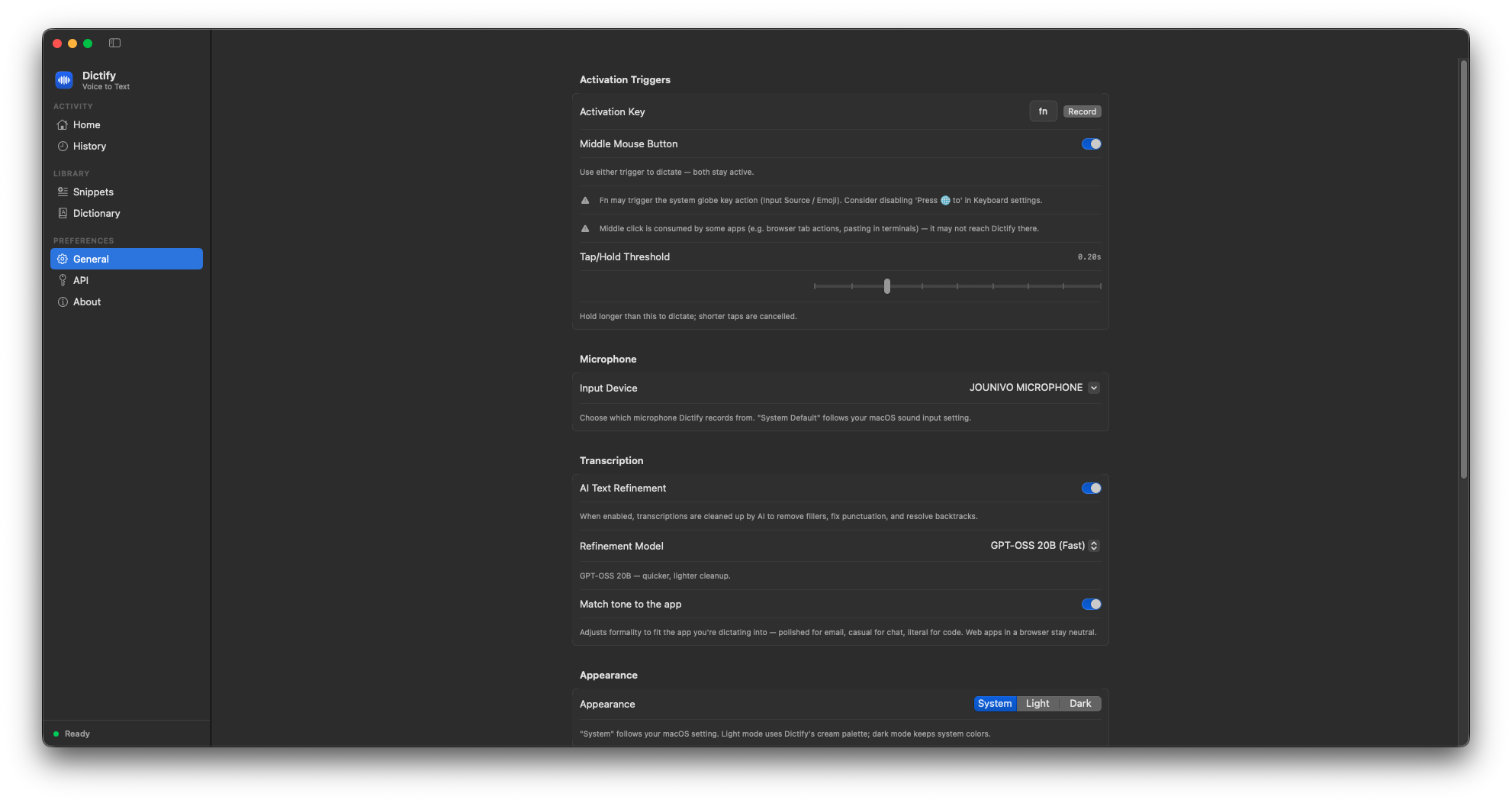
Cleanup that matches where you're typing
GPT-OSS cleans up what you actually said: removes "um" / "uh" / "like", resolves self-corrections ("meet at 2, actually 3" becomes "meet at 3"), and adds punctuation.
- Match tone to the app - polished for email and docs, casual for chat, literal for code editors. Web apps in a browser stay neutral.
- Quality -
openai/gpt-oss-120b, the best cleanup. Fast -openai/gpt-oss-20b, lower latency. - Configurable activation: fn, any custom key or combo, or middle mouse - plus a tap-vs-hold threshold you can tune.
See exactly what the AI changed
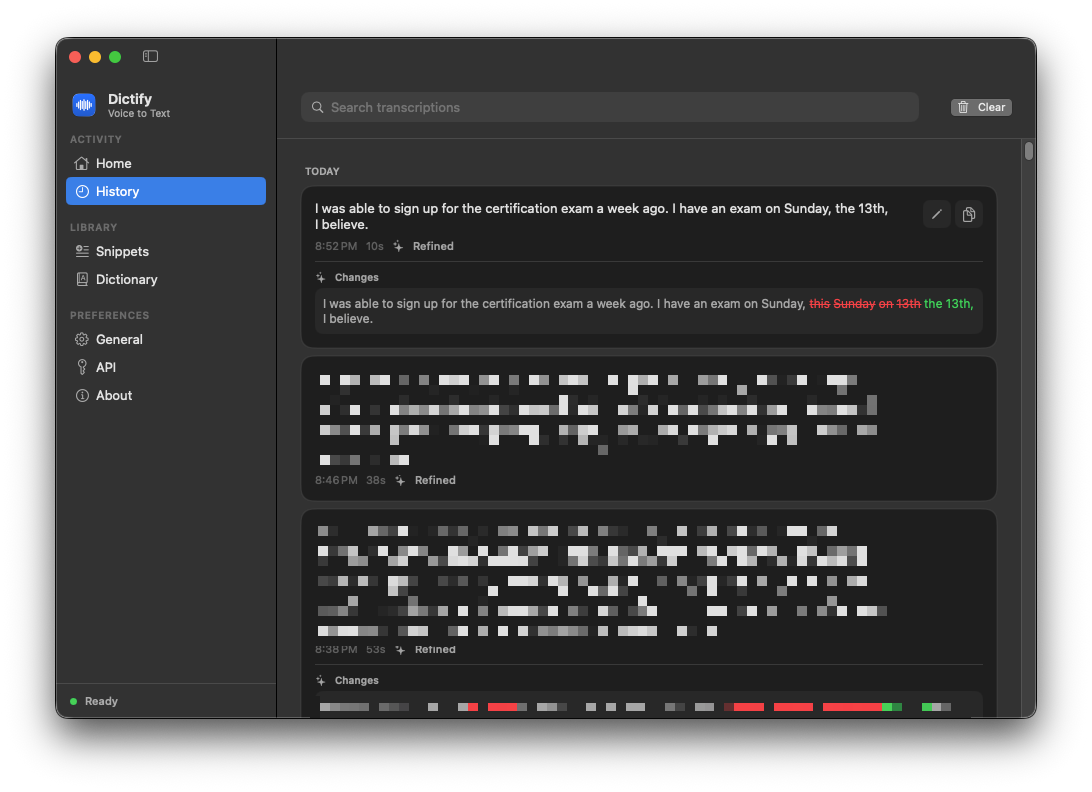
Every dictation is saved locally, grouped by day, and searchable across both the raw and the refined text.
- Word-level diffs - click a refined entry to see each change highlighted, before and after.
- Edit in place - fix a transcription right there, or copy it with one click.
Say a trigger, paste a paragraph
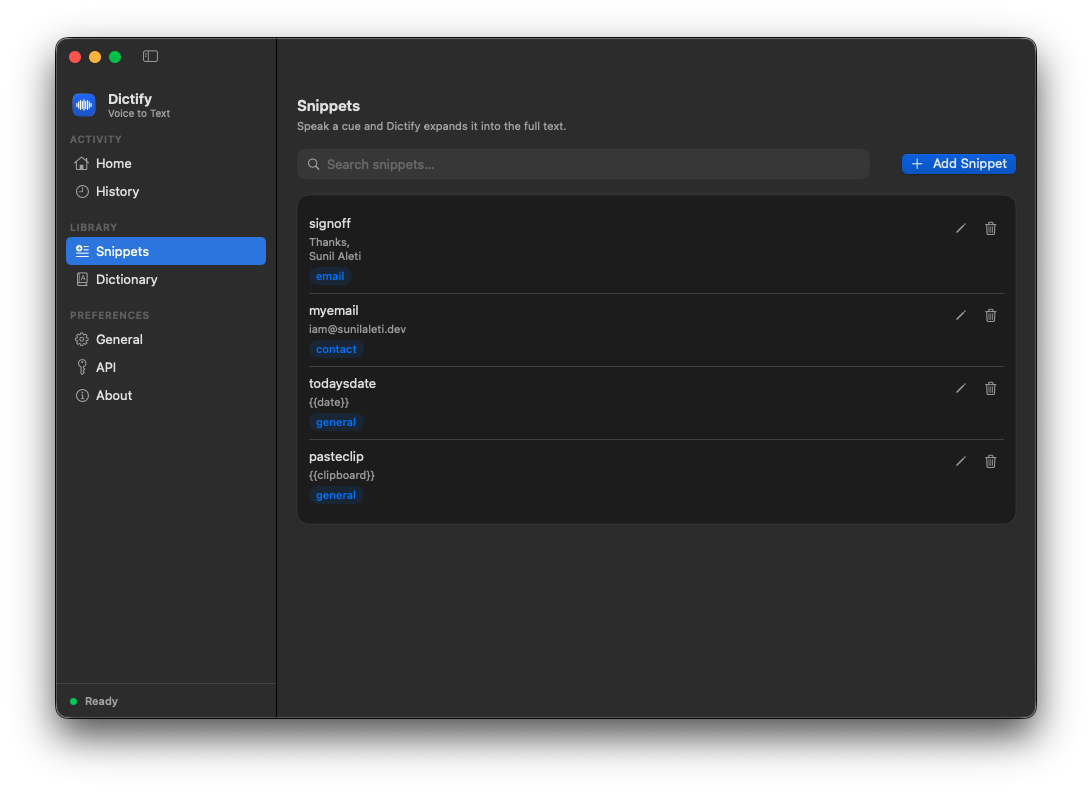
Spoken triggers expand into full text blocks. Say "email sign-off" and get your whole signature, typed where you are.
- Categories keep them organized - email, contact, general, and yours.
- Variables like
{{date}},{{time}}, and{{clipboard}}fill themselves in.
Teach it your words
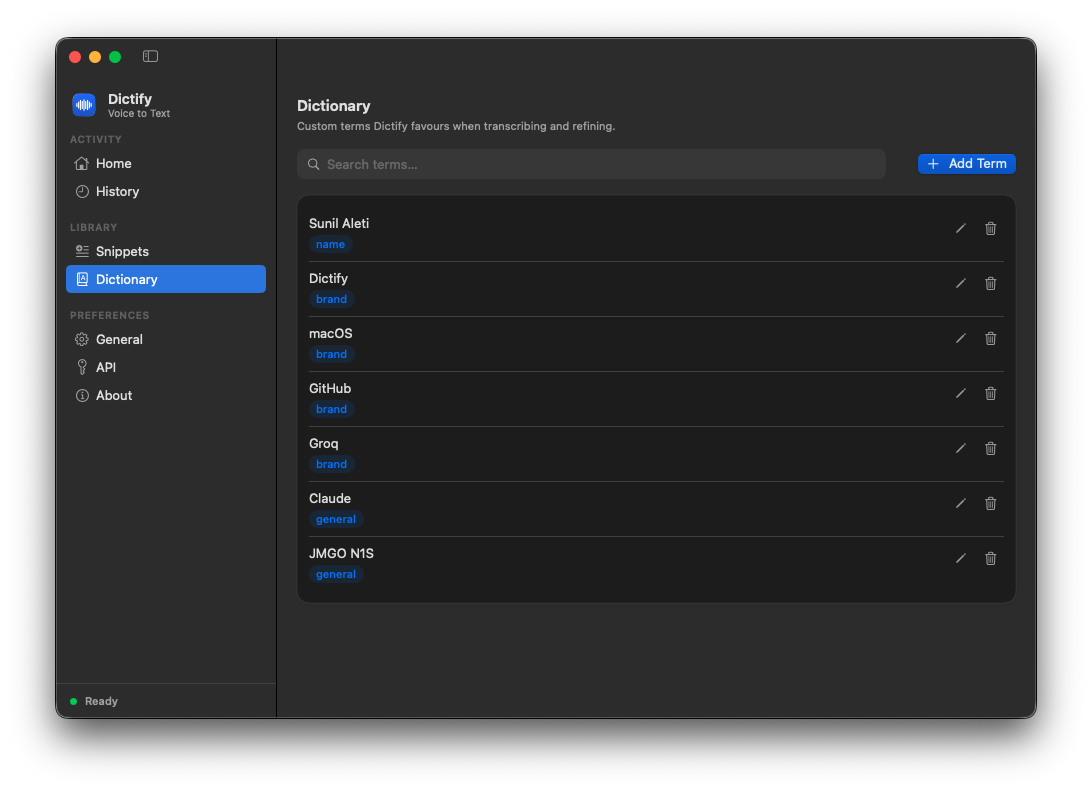
Add your custom terms, names, brands, and acronyms - and Dictify stops guessing.
- Biases recognition - your terms are injected into the Whisper prompt on every request.
- Fixes sound-alikes - GPT-OSS uses the same list to correct clear near-misses during refinement.
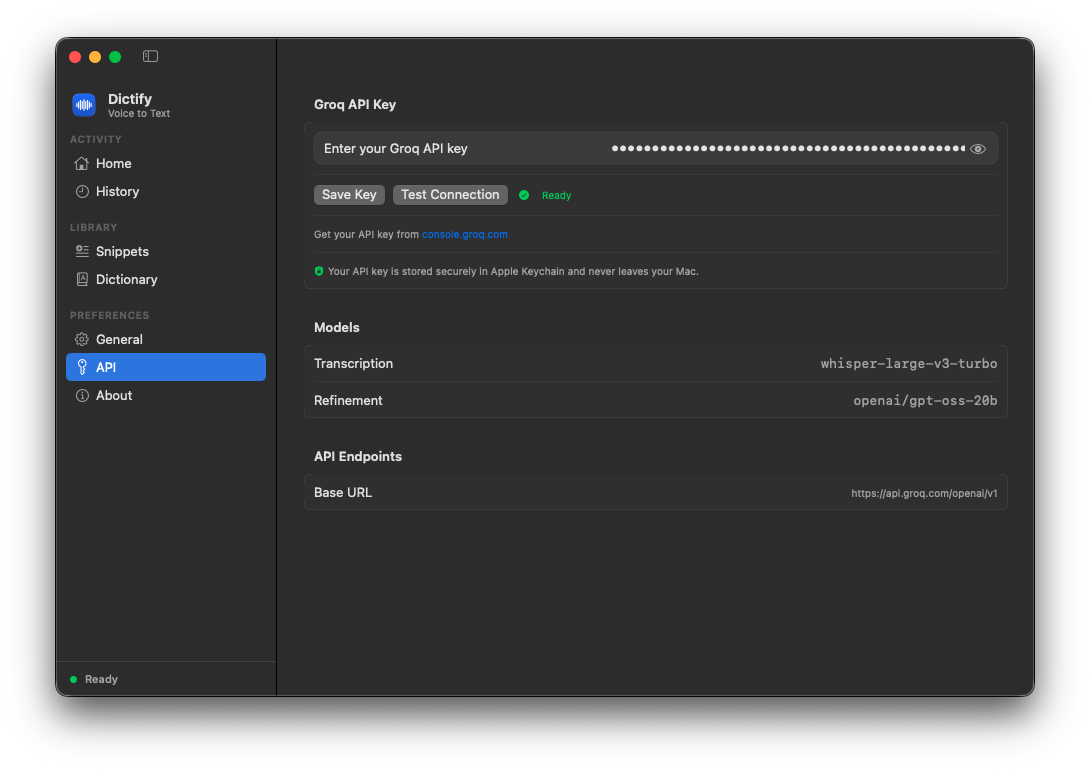
Your Groq key, in the Keychain, verified in a click
Paste your key once - Dictify stores it encrypted in the macOS Keychain and verifies it with a one-click Test Connection. The models in use are shown right in the API tab, and the free tier is enough for typical personal use.
- Never on disk in plaintext. Keychain-encrypted, always.
- No middleman. Your audio goes only to Groq's API - nowhere else.
Pause media while dictating
Playing audio or video is paused when you start dictating and resumed after - your music never bleeds into a recording.
Appearance
Follow the system look, or force Light (Dictify's cream palette) or Dark.
Guided onboarding
First launch walks you through permissions; replay the welcome tour anytime from General settings.
Microphone selection
Record from any input device you pick, or follow the system default automatically.
Sound & visuals
Optional start/stop tones and an elapsed-time readout on the floating indicator, so you always know it's listening.
Optional Dock presence
Run as a menu-bar-only app or show in the Dock - your call. Launch at login is one toggle away.
Direct insertion
Types into any text field via Accessibility APIs; falls back to paste when a field is read-only.
Local-first storage
Dictionary, snippets, and history live on your Mac in ~/Library/Application Support/Dictify/.
Redacted diagnostics
Copy or email recent logs to the developer in one click - always scrubbed of API keys and dictated text.
One hold, zero typing
Watch a full round trip: hold, speak, release - and clean text lands in the app.
In your menu bar in under a minute
Homebrew if you live in the terminal, a signed & notarized DMG if you don't.
brew tap aletisunil/tapbrew install --cask dictify# later, to stay current:brew upgrade --cask dictifyPrefer a download?
Grab the latest signed, notarized Dictify.dmg, drag the app to Applications, and launch.
Build from source
Open Dictify.xcodeproj in Xcode and press ⌘R.
The whole app is MIT-licensed on GitHub.
macOS 14+
Sonoma or later, on any Mac.
A Groq API key
Free from console.groq.com - the free tier covers typical personal use.
Two permissions
Microphone and Accessibility - Dictify walks you through both on first launch.
Private by design, not by promise.
- No analytics, no telemetry. Audio goes to Groq's API for transcription - and nowhere else.
- Keychain-encrypted key. Your Groq key never touches disk in plaintext.
- Local-first. Dictionary, snippets, and history are plain JSON on your Mac.
- Honest manifest. A privacy manifest declares exactly which system APIs it touches, and why.